How to Fix Ping & Lag in Stumble Guys (2026 Guide): Reduce High Ping & Boost FPS Fast
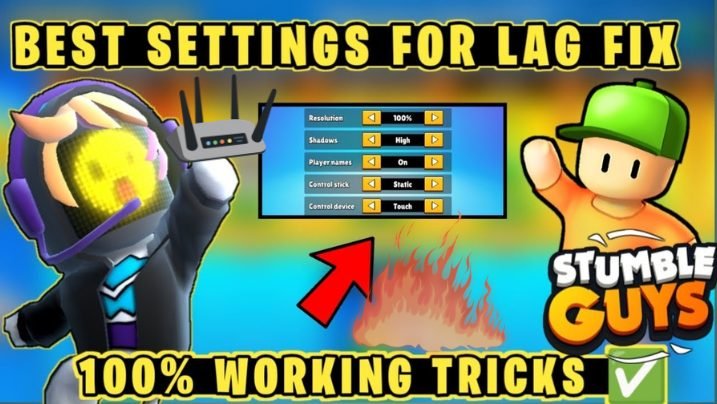
Fix ping & lag in Stumble Guys if you are tired of sudden freezes, delays, and rubberbanding during matches. These issues can ruin your gameplay and make winning almost impossible, even if your skills are good.
The real problem is not your gameplay; it’s network instability or device performance issues that affect a smooth connection with the game server. This guide shows simple and effective methods to reduce ping, fix lag, and improve FPS so you can enjoy smooth and stable gameplay in 2026 without any technical difficulty. Players using the latest game version usually experience fewer performance and connection-related issues.
How to Fix Ping & Lag in Stumble Guys 2026?
Switch to the nearest server, use 5GHz WiFi, and close all background apps. Then restart your router and lower in-game graphics settings. These simple steps usually fix most lag and reduce ping instantly in Stumble Guys.
You should also restart your router, enable performance mode on your device, and lower in-game graphics settings. These steps reduce latency, prevent FPS drops, and make gameplay smooth without needing any internet upgrade. Performance improvements introduced in recent updates have also helped reduce gameplay instability.
What is Ping & Lag in Stumble Guys? (Simple Explanation)
Ping is the time your device takes to send data to the game server and get a response back, measured in milliseconds (ms). The lower the number, the faster and smoother your game runs.
Lag is what happens when ping gets too high, your character freezes, rubber-bands backward, or moves late. High latency, packet loss, and jitter are all part of the same problem, and knowing how to reduce lag in online games starts with understanding what causes it. Competitive event modes often make these lag issues even more noticeable during matches.
A ping under 50ms is excellent. Between 50–100ms is playable. Anything above 150ms, and Stumble Guys starts feeling completely broken.
Ping vs FPS Drops — What Is the Difference?
Ping and FPS drops are often confused, but they are two different issues.
- Ping = Network issue
It depends on your internet connection and server distance. High ping causes delay, rubberbanding, and late responses. - FPS Drops = Device performance issue
This happens when your phone or PC cannot handle the game smoothly due to low RAM, CPU, or GPU load.
Understanding this difference helps players optimize both gameplay settings and device performance more effectively.
Both problems affect gameplay, but the fixes are completely different — one needs a better connection, the other needs better device optimization.
Ideal Ping for Smooth Gameplay (No Lag Experience)
| Ping | Experience |
| Below 50ms | Perfect — zero lag |
| 50–100ms | Good — minor delay only |
| 100–200ms | Noticeable lag, hard to win |
| 200ms+ | Unplayable |
For the best no lag settings, Stumble Guys players aim to keep ping consistently below 80ms
Main Reasons for High Ping in Stumble Guys
Slow or Unstable Internet Connection
Slow internet means the server takes longer to respond to your inputs. For smooth online gaming, you need at least 5 Mbps with a stable, consistent connection — not just fast on paper.
Server Distance Issue
Stumble Guys connects you to global game servers. If you’re in South Asia but matched to a European server, your data travels thousands of kilometers before coming back. That distance alone is a major Stumble Guys high-ping solution that most players miss.
Background Apps Consuming Bandwidth
YouTube, WhatsApp, cloud sync, app updates — all running silently and consuming your bandwidth. Less bandwidth for the game means higher ping and more lag spikes during matches.
Low Device Performance (CPU / RAM / GPU)
A weak CPU, low RAM, or an old GPU can’t run the game smoothly. Poor frame rate caused by device performance feels exactly like network lag — even if your internet is perfectly fine. Players using optimized PC setups usually experience more stable frame rates and smoother controls.
Weak WiFi Signal or Router Issues
Walls, distance, and interference weaken your WiFi signal and directly increase ping. Old routers with outdated firmware make this even worse by struggling with modern data demands.

Best Ways to Fix Ping & Lag in Stumble Guys (2026 Methods)
Select Nearest Game Server (Region Optimization)
This is the fastest Stumble Guys high-ping solution — and the most overlooked. Go to Settings → Server Region, check the ping shown next to each server, and always pick the lowest one closest to your location.
For Pakistan and India, the Asia server is almost always the best choice. Selecting a far region like Europe or America is one of the top hidden reasons for high ping in Stumble Guys. Regional gameplay experience can also vary depending on current event activity and server load.
Use 5GHz WiFi or Upgrade to a WiFi 6 Router
The 2.4GHz WiFi band is crowded with every device in your home. Switching to 5GHz WiFi gives a faster, cleaner, less congested connection — and this directly helps reduce ping in Stumble Guys without spending a rupee.
If your router is old and doesn’t support 5GHz, upgrading to a WiFi 6 router is one of the best long-term investments for stable, low-latency gaming. Smooth connectivity becomes even more important during movement-heavy multiplayer modes.
Close Background Apps & Downloads
Every background app silently steals bandwidth and device resources. Before playing, close everything — streaming apps, downloads, cloud backups.
On Android: Clear all recent apps. On iOS: Swipe up and close everything. This simple habit alone can fix lag in Stumble Guys by 30–50ms in many cases. Background optimization is especially useful for players farming rewards during long event sessions.
Improve WiFi Signal Strength (Router Placement)
Router placement is a bigger factor than most people realize. Place your router in an open, elevated spot at the center of your home away from walls, cabinets, microwaves, and other electronics. The closer you are to your router with fewer walls in between, the stronger your signal and the lower your ping spikes.
Upgrade Internet Plan (Higher Bandwidth)
If multiple family members share your connection on a plan below 10 Mbps, you’ll hit a bandwidth ceiling fast. Contact your Internet Service Provider (ISP) and ask about upgrading to a higher-bandwidth plan.
Not sure if your internet is the problem? Use Speedtest by Ookla — it shows your exact ping, download, and upload speeds in seconds and helps you confirm whether your ISP is throttling your connection.
Restart Router & Device Regularly
Routers accumulate errors over time and slow down without any obvious signs. Make it a habit to restart your router every few days — off for 30 seconds, then back on. Do the same for your phone or PC. This simple routine fixes unexpected ping spikes more often than most people expect — and it costs nothing.
Update Game, Firmware & Device Software
Outdated versions cause hidden compatibility issues that increase lag. Keep three things updated at all times:
- Stumble Guys — via Play Store or App Store
- Router firmware — via your router’s admin panel
- Device OS — phone or PC system software
Developers regularly push patches that fix server connection bugs and improve stability for online gaming.
Use a WiFi Extender for Weak Signals
If you can’t move your router and walls are blocking your signal, a WiFi extender (repeater/booster) is the easiest fix. Place it halfway between your router and your gaming spot it amplifies the signal exactly where you need it and helps reduce latency caused by weak coverage.
Change ISP for a Stable Connection
If your ping stays high after trying everything, the issue might be your Internet Service Provider itself. Some ISPs route traffic through congested international pathways something you simply can’t fix from your end.
Monitor your speed with Speedtest by Ookla for a few days. If speeds consistently drop every evening, it’s ISP congestion. Research better alternatives, ask for recommendations, and switch if a more reliable option exists in your area.
Can You Fix Ping Without Better Internet?
Yes — in most cases, you can reduce ping without upgrading your internet.
You need proper optimization:
- Switch to the nearest server region
- Use 5GHz WiFi instead of 2.4GHz
- Improve router placement (open area, central location)
- Close all background apps and downloads
- Lower graphics settings for stable performance
These fixes improve latency and stability without needing a faster internet plan.
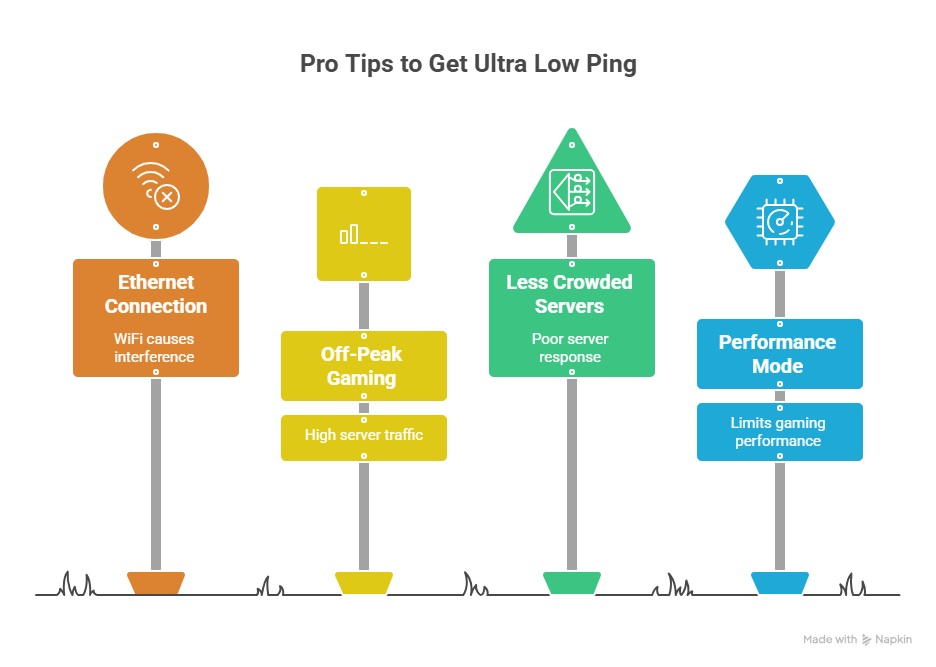
Pro Tips to Get Ultra Low Ping (Used by Pro Players)
- Use an Ethernet — Wired connection to remove all WiFi interference completely
- Play during off-peak hours — ISP networks are most congested in the evenings; morning sessions give lower, more stable ping
- Play on less crowded servers — Fewer players on a server means lower load and better response times
- Enable Performance Mode on your device before launching the game to prioritize CPU and RAM for gaming
Best Settings for No Lag (Mobile & PC Guide)
Getting the right no lag settings for Stumble Guys in-game matters just as much as your network setup.
Mobile:
- Graphics: Medium or Low
- Frame Rate: 60 FPS (30 FPS if device is weak)
- Shadows: Off
- Server Region: Always nearest available
PC:
- V-Sync: Off (adds input lag)
- Textures & Effects: Medium or Low
- Close all browsers, Discord video, and downloads before launching
Lower graphics = less CPU/GPU load = more stable FPS = gameplay that doesn’t feel like lag.
5 Quick Fixes to Reduce Ping Instantly
These five steps take under two minutes and can drop your ping by 50–150ms right now:
- Change the server region to the nearest one in Stumble Guys settings
- Switch to 5GHz WiFi on your device
- Close all background apps before launching the game
- Restart your router — off for 30 seconds, back on
- Move closer to your router or connect a WiFi extender
Troubleshooting Table: Common Lag Problems
| Problem | Cause | Fix |
| Rubberbanding | High Ping | Switch Server |
| FPS Drops | Low RAM | Lower Graphics |
| Ping Spikes | WiFi Congestion | Use 5GHz WiFi |
| Random Freezes | Background Apps | Close Apps |
Best Server Selection Guide (By Region)
| Your Location | Best Server | Expected Ping |
| Pakistan / India | Asia / South Asia | 30–80ms |
| Middle East | Asia / Middle East | 50–100ms |
| Europe | Europe | 20–60ms |
| North America | NA East / West | 20–70ms |
| Southeast Asia | Asia | 30–80ms |
Always run Speedtest by Ookla before your session, as it confirms whether the problem is your internet or your server selection. Understanding regional player activity can also help improve matchmaking consistency.
Common Mistakes That Cause Lag in Stumble Guys
- Picking a far server region without checking the ping shown next to it
- Router stuffed in a cabinet or sitting behind the TV on the floor
- Gaming while downloading large files or app updates in the background
- Never restarting the router — running it for weeks straight without a break
- Using a mobile hotspot with a weak signal — anything under 3–4 bars causes unstable, high-jitter connections
Stumble Guys Lag Issues After Recent Updates (2026)
After major updates in Stumble Guys, players often experience temporary lag, glitches, or increased ping.
This usually happens because:
- Server overload after new patches
- Temporary bugs in updates
- Global traffic spike on release days
In most cases, developers fix these issues quickly through hotfix updates. If lag starts after a new update, it’s usually temporary and resolves within a few days.
Conclusion
Fixing Stumble Guys ping and lag issues doesn’t require expensive upgrades just the right settings and simple habits. Start by selecting the nearest server region, switch to 5GHz WiFi, and close all background apps to reduce ping instantly. Keep your router restarted, firmware updated, and game version current for stable performance. Follow these steps consistently, and you’ll enjoy low ping, smooth gameplay, and no more lag-related eliminations.
FAQs:

Follow Us:
Numan Ahmed
Founder & Mod Tester
I’ve been playing Stumble Guys since its early updates, and I personally test every mod and version before it goes up on this site. If a file doesn’t work the way I describe it, I don’t publish it.